The need
Heartland Bank, a family-owned bank network in Nebraska, needed to manage shareholder transactions, dividends, and stock plans more efficiently, replacing a patchwork of different tools with clear, accessible reporting and flexible features for the future.
The solution
J Street built an Access and SQL Server desktop application that streamlines data management while improving reporting and compliance. Access was chosen for its rapid development, reducing timeline and cost, and the team's familiarity with it.
How it turned out
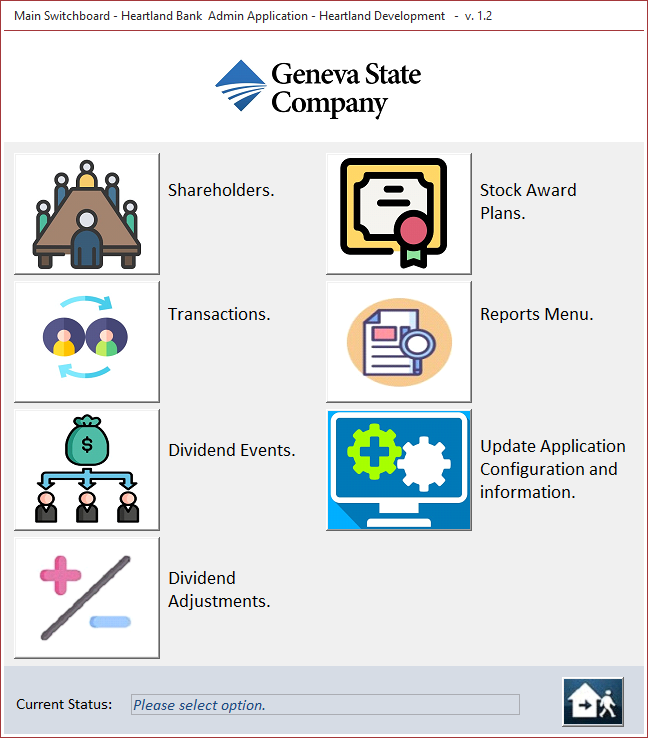
Upon launching the application, the Application Menu serves as a main dashboard where users can select a menu item including shareholders, transactions, dividend events/transactions, stock award plans, reports and application information.
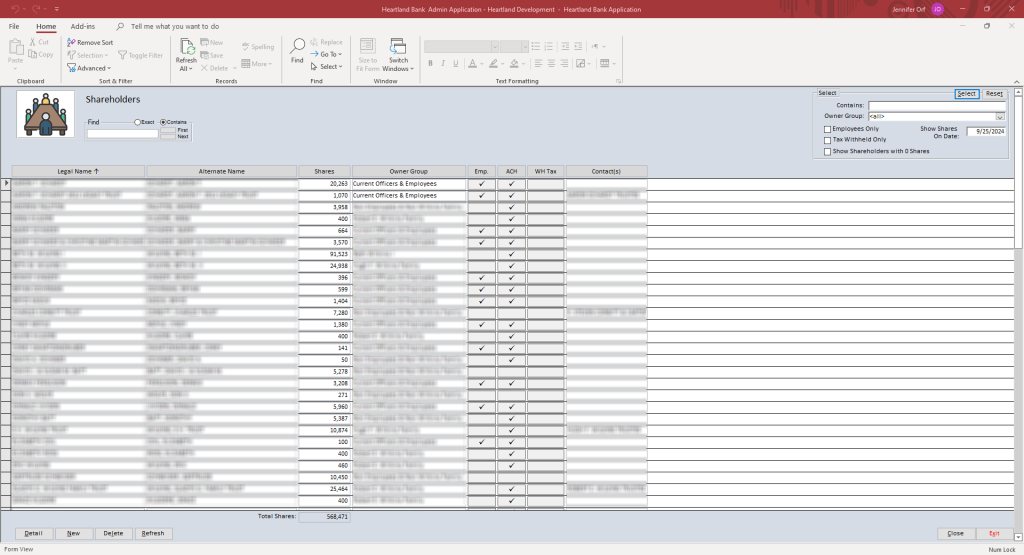
Keeping track of their shareholders was key for Heartland Bank. The Shareholders section displays a roster for the shareholders with a filter feature that narrows down the user's search of specific shareholders and owner groups, and allows users to drill down on specific shareholder records.
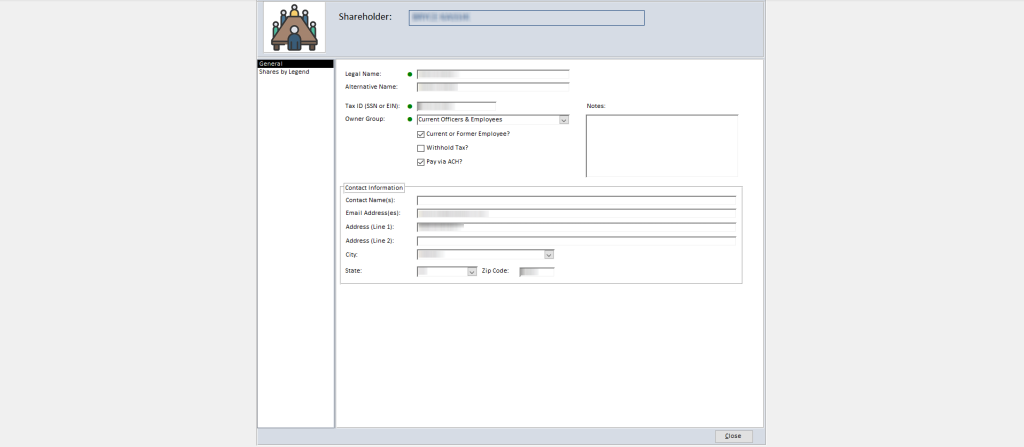
A general shareholder screen shows basic name and demographics for the selected shareholder.
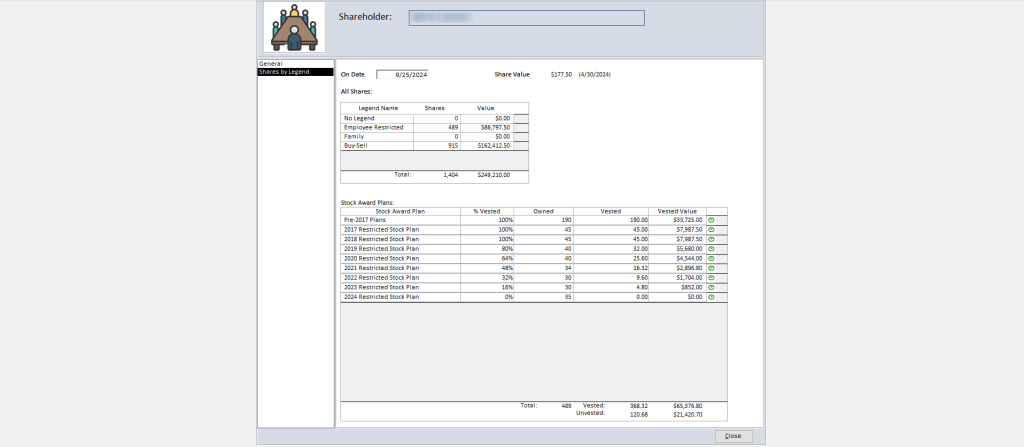
The time travel feature at the top allows the user to see the shares a shareholder owned on a particular date. This helps Heartland Bank understand what changes occurred between shares and shareholders over a period of time.
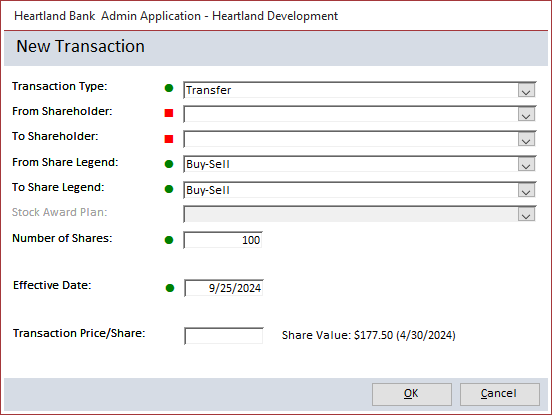
Here is where users can enter a new transaction (a stock purchase, sale, or transfer in ownership). Transactions can be saved once all required fields are filled in. Visual indicators communicate whether a field is incomplete or complete - a red square tells the user a required field needs to be entered. A green circle notes that the value is supplied. We use both shapes and colors to improve accessibility for users with visual impairments.
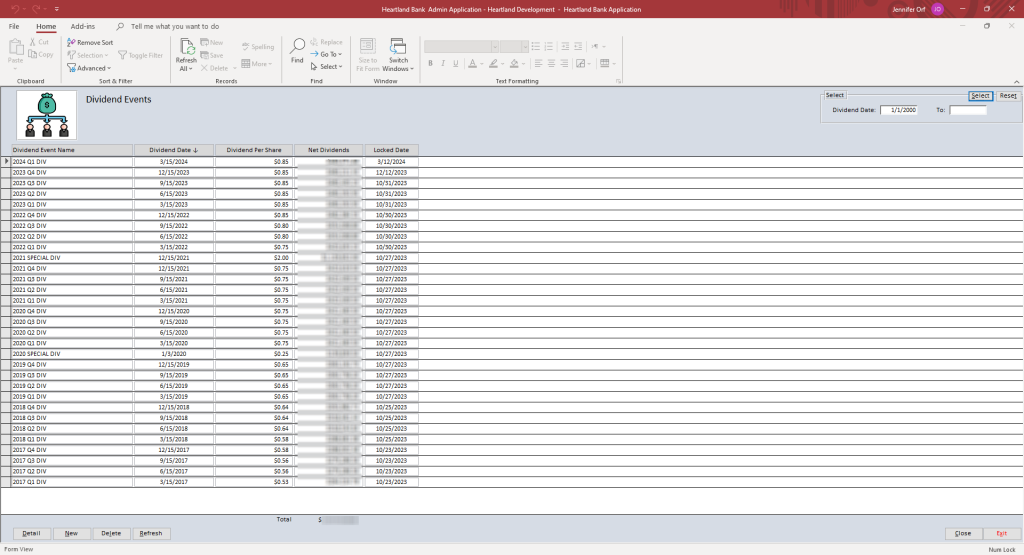
Users can also track dividends in the Dividend Events form. This action needs to be completed four times a year and was previously done with spreadsheets and manual calculations, but now is done automatically, saving a lot of time and reducing errors.
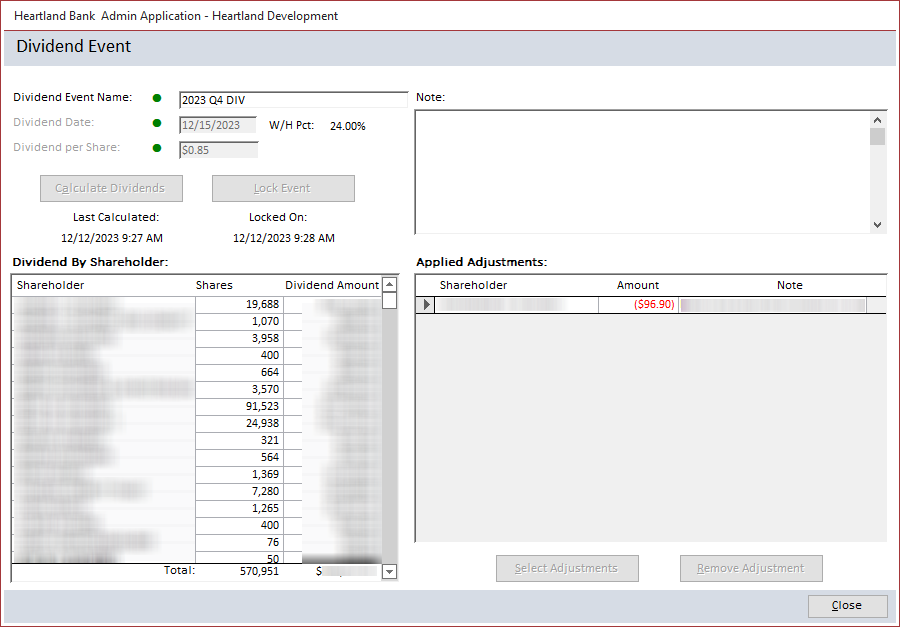
The Dividend Event screen shows calculated dividends for each shareholder based on the number of shares they had on the dividend date. The user can also manually adjust for special cases where the dividend amount needs to be changed for a shareholder.
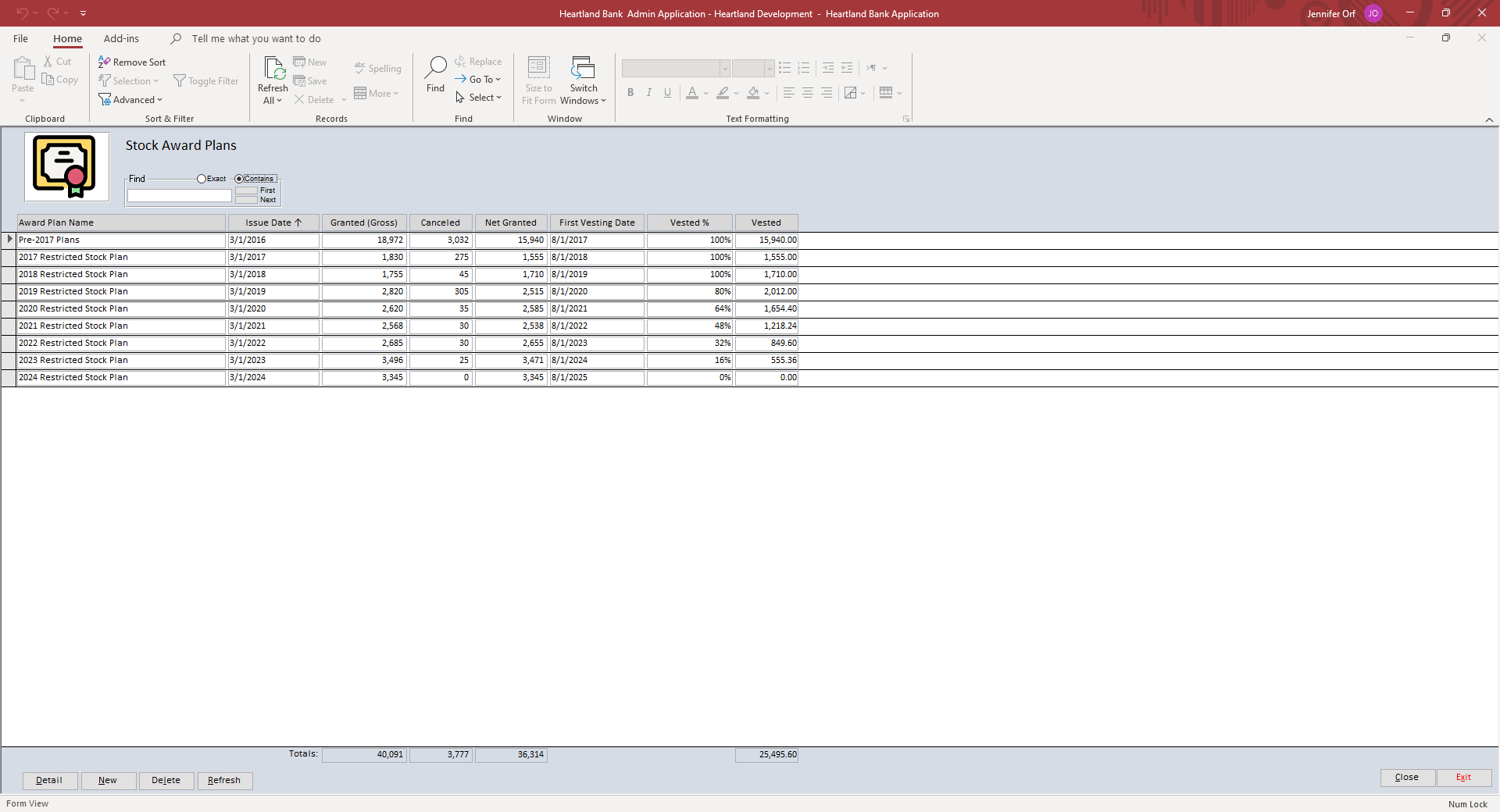
A list of all the employee stock plans where employees are granted shares can be found in the Employee Stock Award Plans section. These plans also used to be tracked using a spreadsheet.
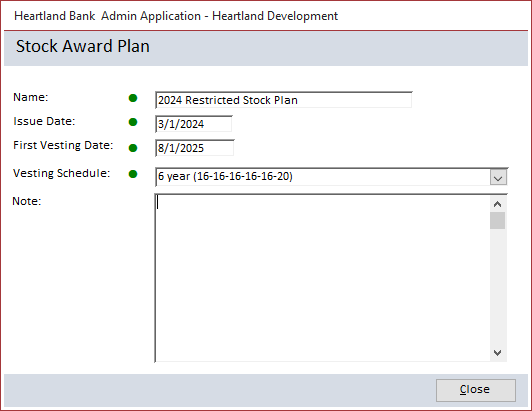
The Employee Stock Award Plans screen also details specific stock award plans. This includes when the shares were issued, when the first vesting date occurred, and what the vesting schedule is. The example above shows a custom 6-year vesting schedule: 16% in each of the first 5 years, then 20% in the 6th year.
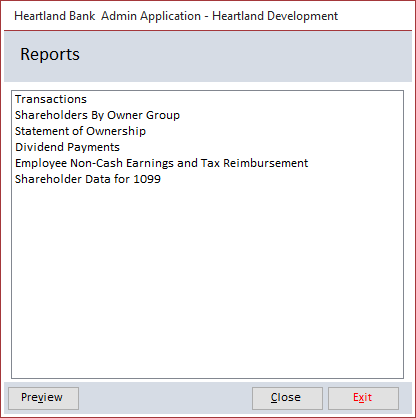
Moving to the Reports section, the user will see a list of the reports that can be generated by the system. This helps with audits and makes data easy to understand.
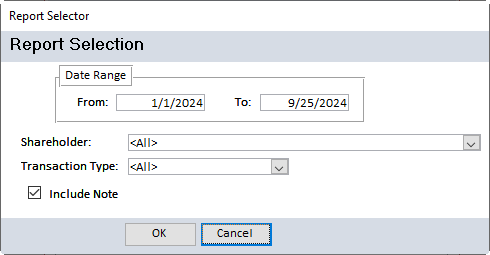
Each report offers a report selection criteria screen so the user can set the parameters for the report. Using this method, each report can be used in multiple ways. For the example shown, the user can select to generate the report on a specific shareholder or all, a specific transaction type or all, etc.
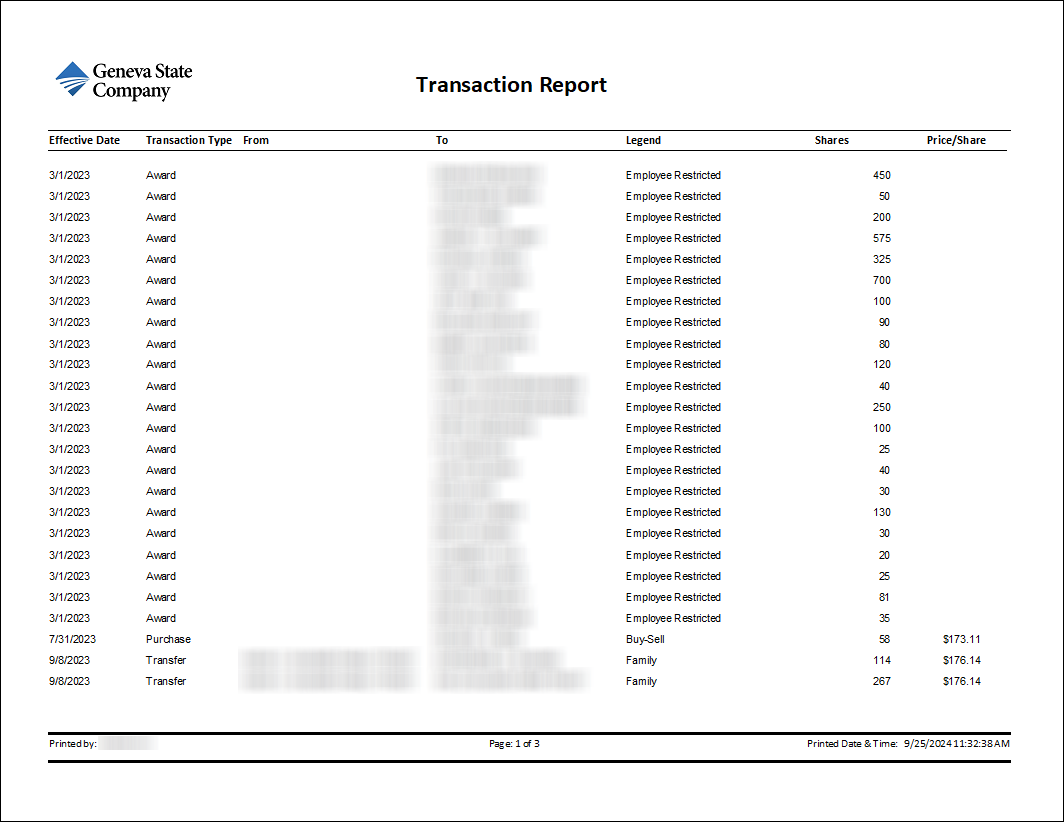
Each report has the company logo and a footer. These reports are generated annually for auditors to show all transactions for Heartland Bank.
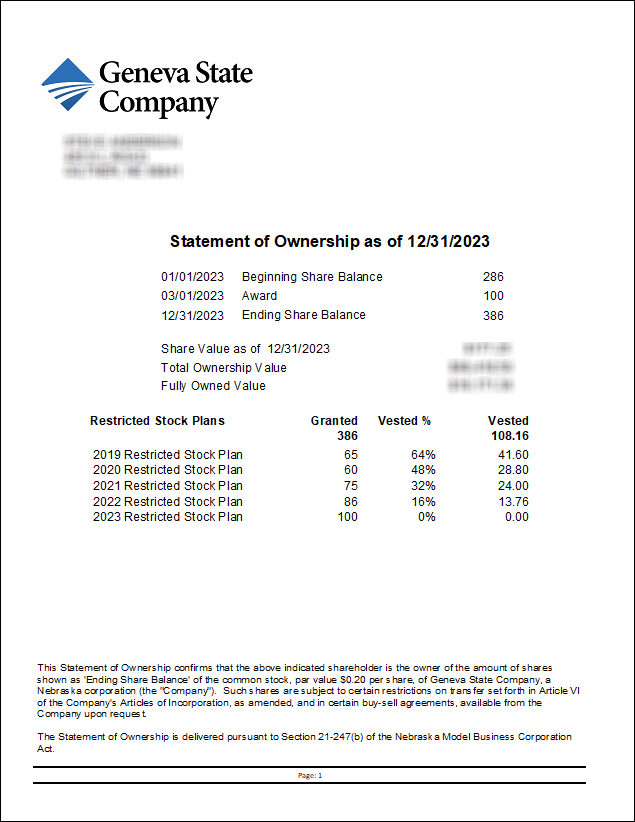
A Statement of Ownership is generated each January, for all the shareholders to provide a summary of the previous calendar year.
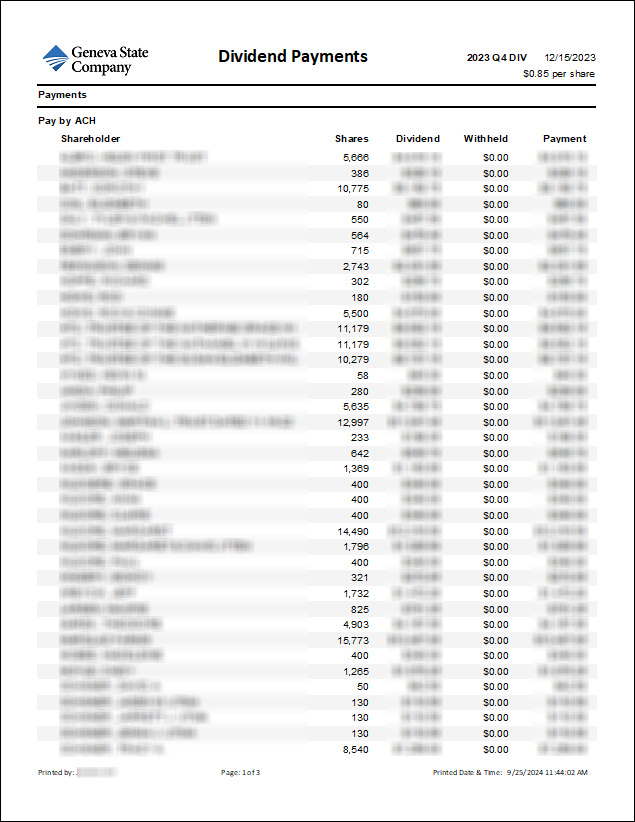
Dividend Payment Reports show the dividend payment amounts for each shareholder grouped by payment method - ACH (direct deposit) or other (usually a check) and showing whether taxes were withheld for that shareholder. The client wanted subtotals and grand totals shown for everything so that they could check that records from other systems have the same totals. Alternate shading on lines was provided to improve readability.
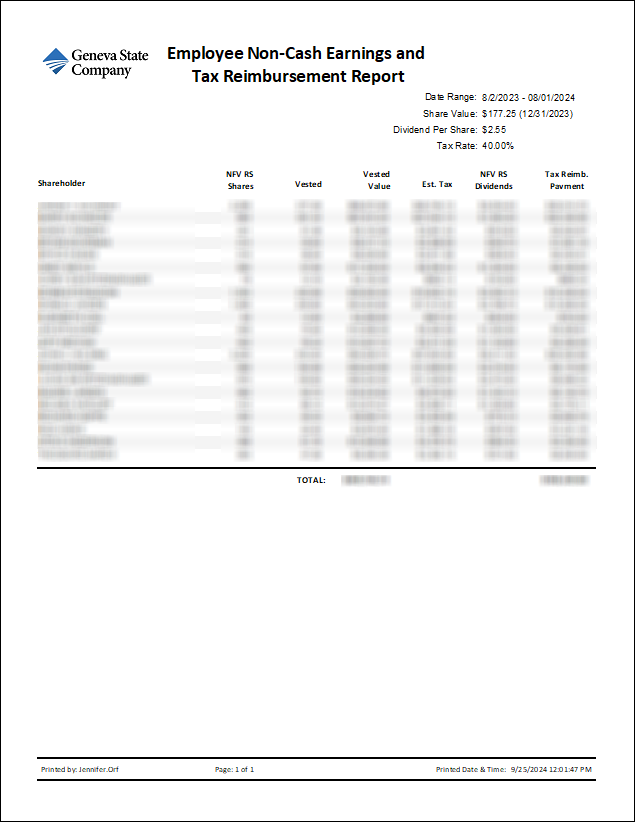
The Employee Non-Cash Earnings and Tax Reimbursement Report is used internally to calculate non-cash earnings to be reported on the employee IRS W-2. It also calculates a bonus to offset the tax burden. Previously, these calculations were done in a spreadsheet, but this process was laborious and prone to errors.
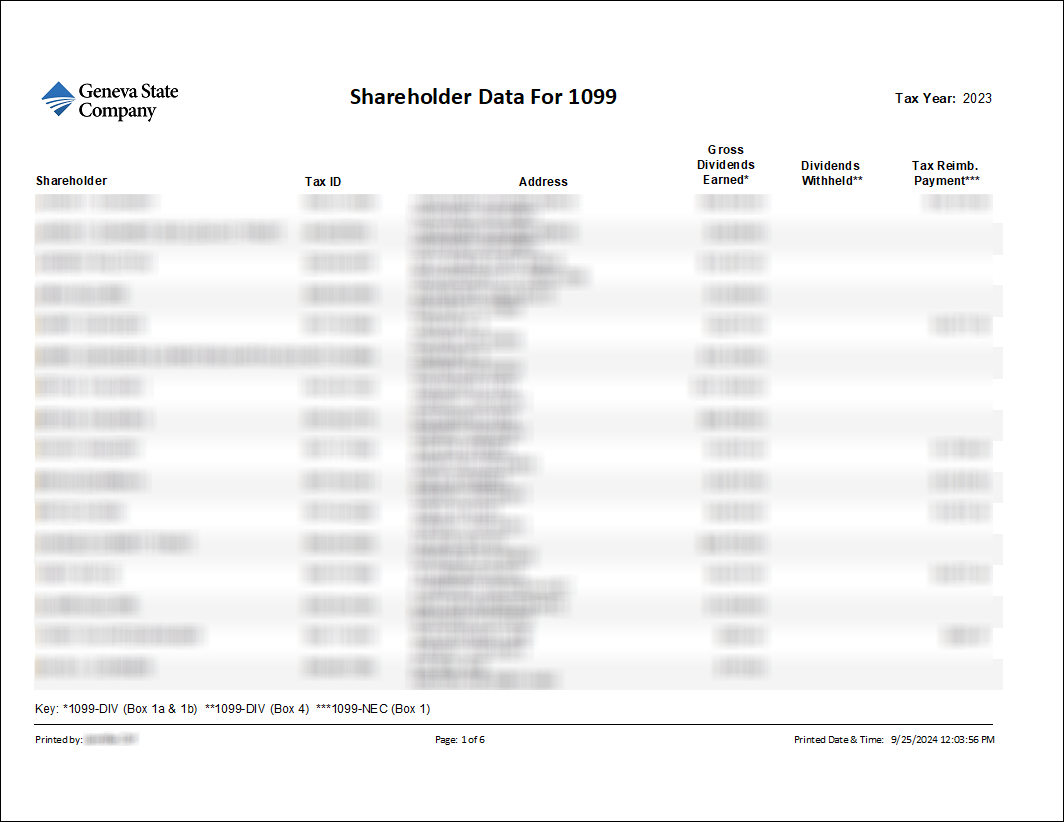
Shareholder Data for 1099 is used by the HR department to report dividends and tax reimbursement bonuses on the shareholder IRS 1099 forms.